
How To Use Datatim App!
Try Datatim: We have newly introduced a faster way of transfering your funds that
doesn't require you to manually make your transfer and hold for mins before your wallet gets credited.
How to use your Datatim ?
- Register or login using Datatim App or Web.
- Click on "Airtime or Data" and select the "Instant" option.
- Fill in your details. (Phone number, amount & reference).
- Select your Package and click continue.
- Input your Transaction Pin and click Buy.
- You will automatically be debited and your Phone line gets credited instantly.
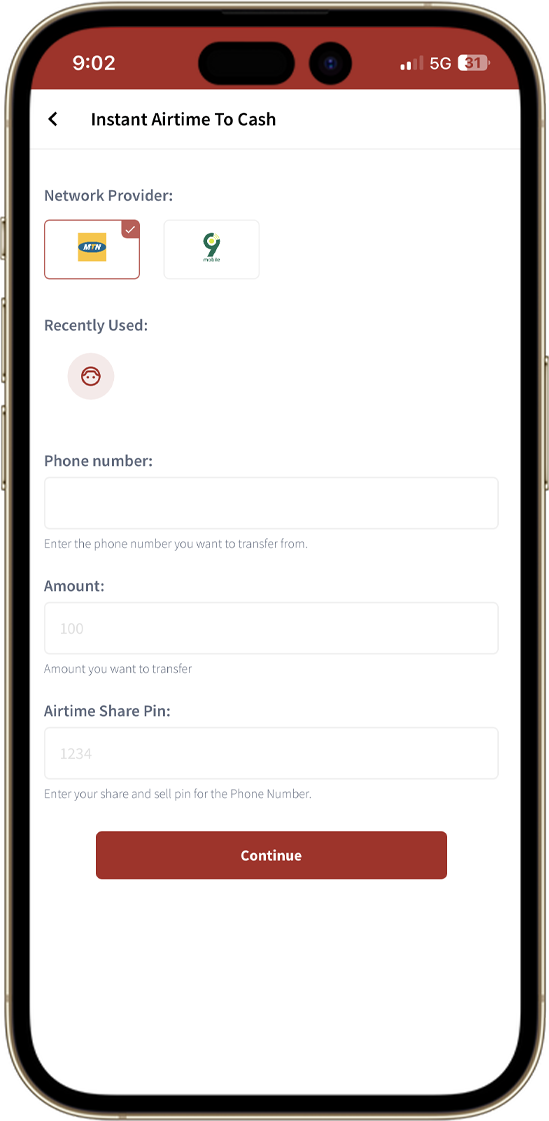
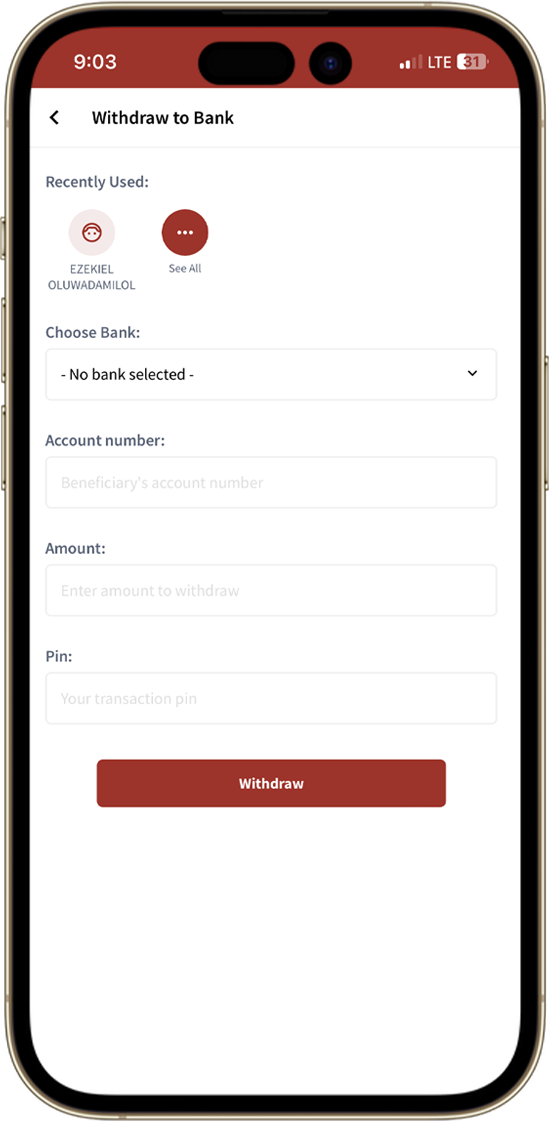
Few steps to withdraw to your bank account?
- Go to Withdraw on the mobile app or the website.
- Input Amount to withdraw.
- Select the bank you want to withdraw to or input bank details if you haven’t added any bank before.
- Finally, Complete withdrawal.
- If you have any questions, kindly contact us at: support@datatim.com.ng
Get our mobile app
Join thousands of users enjoying the comfort of converting airtime to cash in a matter of seconds and get value to your bank account without stress!